
After App Check is enforced for a backend service, your app's features that depend on that backend service won't run in a simulator or from a continuous integration (CI) environment because these environments don't qualify as valid devices. To run your app in these environments during development and testing, you need to create a debug build of your app that uses the App Check debug provider instead of a production attestation provider.
Use the debug provider in a simulator
Here's how to use the debug provider while running your app in a simulator interactively (for example, during local development):
In your debug build, before using any Firebase backend services, create and set the App Check debug provider factory:
Swift
let providerFactory = AppCheckDebugProviderFactory()
AppCheck.setAppCheckProviderFactory(providerFactory)

FirebaseApp.configure()
Objective-C
FIRAppCheckDebugProviderFactory *providerFactory =
      [[FIRAppCheckDebugProviderFactory alloc] init];
[FIRAppCheck setAppCheckProviderFactory:providerFactory];

// Use Firebase library to configure APIs
[FIRApp configure];
Obtain your debug token:
Launch your app in the simulator or on your test device.
Open the Xcode console and look for the App Check debug token. For example:
<Warning> [AppCheckCore][I-GAC004001] App Check debug token: '123a4567-b89c-12d3-e456-789012345678'.Copy the token (for example,
123a4567-b89c-12d3-e456-789012345678).
Register your debug token with App Check:
In the Firebase console, go to the Security > App Check > Apps tab.
Find your app, click the three-dot overflow menu (), and then select Manage debug tokens.
Follow the on-screen instructions to register your debug token.
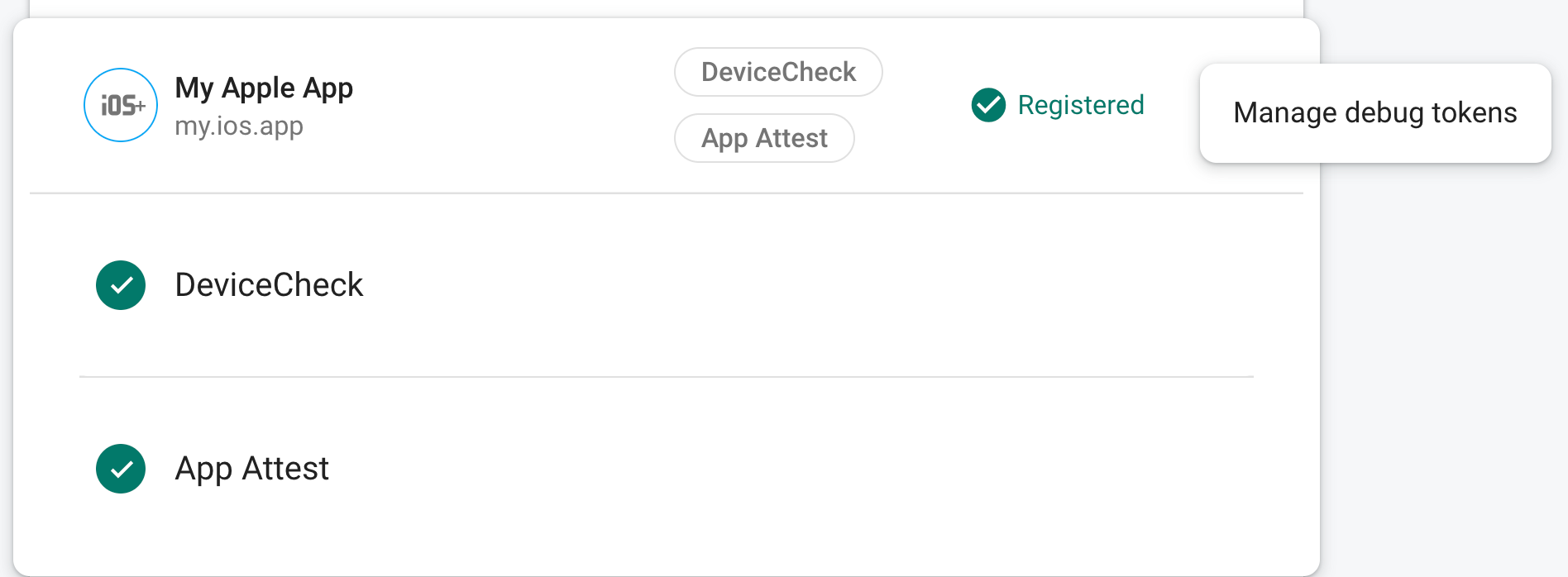
After you register the token with App Check, your backend services will accept it as valid.
This token allows access to your backend services without a valid device, so it's crucial that you keep it private. Do not commit it to a public repository or ship it in production builds of your app. If a registered token is ever compromised, delete it immediately using Manage debug tokens in the Firebase console.
Use the debug provider in a CI environment
Here's how to use the debug provider for unit testing in a continuous integration (CI) environment:
In the Firebase console, create a debug token:
In the Firebase console, go to the Security > App Check > Apps tab.
Find your app, click the three-dot overflow menu (), and then select Manage debug tokens.
Follow the on-screen instructions to create a new debug token.
This token allows access to your backend services without a valid device, so it's crucial that you keep it private. Do not commit it to a public repository or ship it in production builds of your app. If a registered token is ever compromised, delete it immediately using Manage debug tokens in the Firebase console.
Add the debug token you just created to your CI system's secure key store (for example, GitHub Actions' encrypted secrets or Travis CI's encrypted variables).
If necessary, configure your CI system to make your debug token available within the CI environment as an environment variable. Name the variable something like
APP_CHECK_DEBUG_TOKEN_FROM_CI.In Xcode, add an environment variable to your testing scheme with the name
AppCheckDebugTokenand something like$(APP_CHECK_DEBUG_TOKEN)as the value.Configure your CI test script to pass the debug token as an environment variable. For example:
xcodebuild test -scheme YOUR_TEST_SCHEME -workspace YOUR_PROJECT.xcworkspace \
APP_CHECK_DEBUG_TOKEN=$(APP_CHECK_DEBUG_TOKEN_FROM_CI)
In your debug build, before using any Firebase backend services, create and set the App Check debug provider factory:
Swift
let providerFactory = AppCheckDebugProviderFactory()
AppCheck.setAppCheckProviderFactory(providerFactory)

FirebaseApp.configure()
Objective-C
FIRAppCheckDebugProviderFactory *providerFactory =
      [[FIRAppCheckDebugProviderFactory alloc] init];
[FIRAppCheck setAppCheckProviderFactory:providerFactory];

// Use Firebase library to configure APIs
[FIRApp configure];
When your app runs in a CI environment, your backend services will accept the token it sends as valid.